Contributing to Appwrite
08-19-23
What an eight-week open-source internship taught my team and me about APIs, cloud functions, testing, Git workflows, and solving real problems in a large codebase.
Originally published on LinkedIn on August 19, 2023.
Introduction
How much can you learn from contributing to open-source projects? I have the privilege of being able to answer that after participating in an eight-week software engineering internship made possible through the collaborative efforts between CodeDay and Computing Talent Initiative.
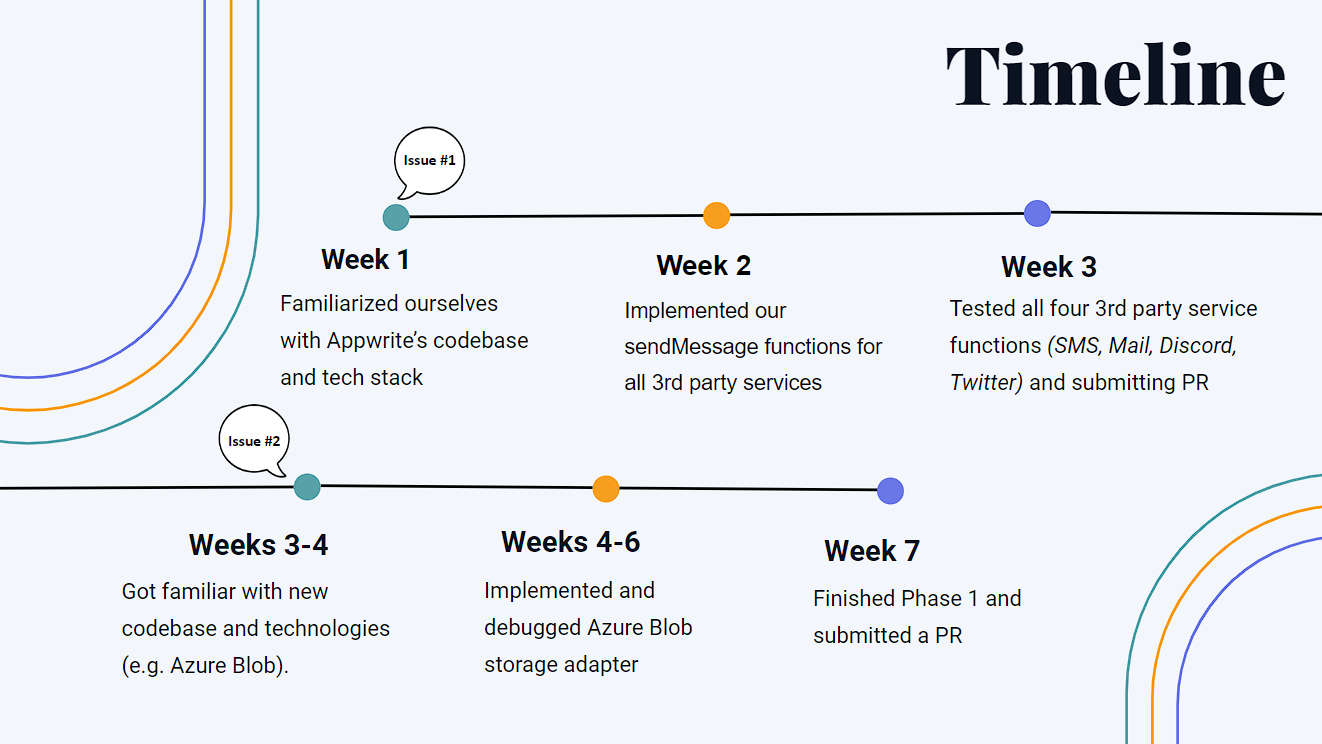
Paired with my teammates Tam Nguyen and Jaime Palacios and our mentor Hemal Ladani of Winjit Technologies, we went through a continuous problem-solving cycle of exploration and planning, implementation, and evaluation as we made our contributions to the open-source project Appwrite. We performed two cycles of this process for two open issues. For both issues, we began by exploring the concepts and technologies we would face. After planning, we took the steps needed to reach a successful implementation, then finished through thorough unit testing and evaluation.
If you would like to walk through the inner workings of our contributions in more thorough, technical terms, please continue. If software-engineering vocabulary and the concepts presented here are new to you, don't worry—I'm writing this for people acquainted with this work and people who are not alike. Let's walk through this together.
About Appwrite
What is Appwrite?
Appwrite is an open-source backend-as-a-service platform that provides the backend every application—whether web, desktop, or mobile—needs. In simpler terms, it eliminates the need to set up and carry out common, complex, and repetitive tasks required for building the backend of a modern app by providing and managing these functions for you.
With a dashboard that can be deployed locally or through the cloud, Appwrite users can easily configure and set up the backend of their applications.
Why is Appwrite important?
Managing an application's backend can be time-, resource-, and knowledge-intensive. Appwrite simplifies the development process for developers of all levels, allowing them to focus on other components of their application, such as the frontend and user experience.
Software engineers create the digital tools and systems that help companies make money. Appwrite makes that job even more effective: it fits into the software world while helping businesses shift focus from technical setup to priorities that matter most—running the business smoothly, reaching more people, and taking care of customers. Appwrite fits into the larger mission of software engineering in a business context.
Who uses Appwrite?
Appwrite is accessible and usable to anyone who wishes to make an application—and I mean anyone. A user can be from a startup or a large enterprise, an open-source enthusiast, a prototyper, a freelancer, or a web or mobile app developer.
For example, a startup may need to launch a software-based product while maintaining tight control over costs and resources. By providing that product's backend infrastructure, Appwrite can accelerate time to market while saving time, money, and focus. Again, Appwrite is much more than a software tool—it fits into the larger mission of software engineering in a business context.
How many users does Appwrite have?
According to an article from PR Newswire, over 150,000 developers had used Appwrite. On GitHub, Appwrite had a community of more than 500 contributors. With constant releases and ongoing contributions, the number of users continued to grow. At the time of writing, in August 2023, Appwrite was expecting to release its full cloud version soon, which could attract many more users.
Appwrite's codebase overview
Appwrite's tech stack
Appwrite primarily runs on three main technologies: Utopia-PHP, Docker, and Open Runtimes. We also encountered Azure Blob Storage and Kotlin during our work.
Utopia-PHP is Appwrite's web framework. Created and maintained by Appwrite core developers, it is responsible for building and handling the different components of Appwrite's web functionality. The Appwrite team created Utopia-PHP as a lightweight, minimal, dependency-free Model-View-Controller framework.
Docker packages code and development environments so software and its subcomponents can run on any hardware with Docker installed. Think of pre-built furniture: it arrives built and quality-checked; you open the package and put it in its rightful place. Docker does something similar for software and digital development environments.
Open Runtimes, also made and maintained by the Appwrite team and open-source contributors, lets cloud functions written in Appwrite-supported languages execute through Docker. At the time, Appwrite supported ten languages, with more being added over time.
Microsoft Azure Blob Storage is a cloud-storage service for unstructured data. It was not originally native to Appwrite; our second issue focused on incorporating it into Appwrite's storage feature so applications created through Appwrite could potentially use the service.
Kotlin is the official language for Android development and is highly similar to and compatible with Java. It is one of the runtimes supported by Open Runtimes, and we used it for our first issue.
A basic codebase walkthrough
Appwrite is a large project capable of supporting large-scale applications, so naturally there were many aspects we did not get to explore. Our work centered on Cloud Functions and Storage.
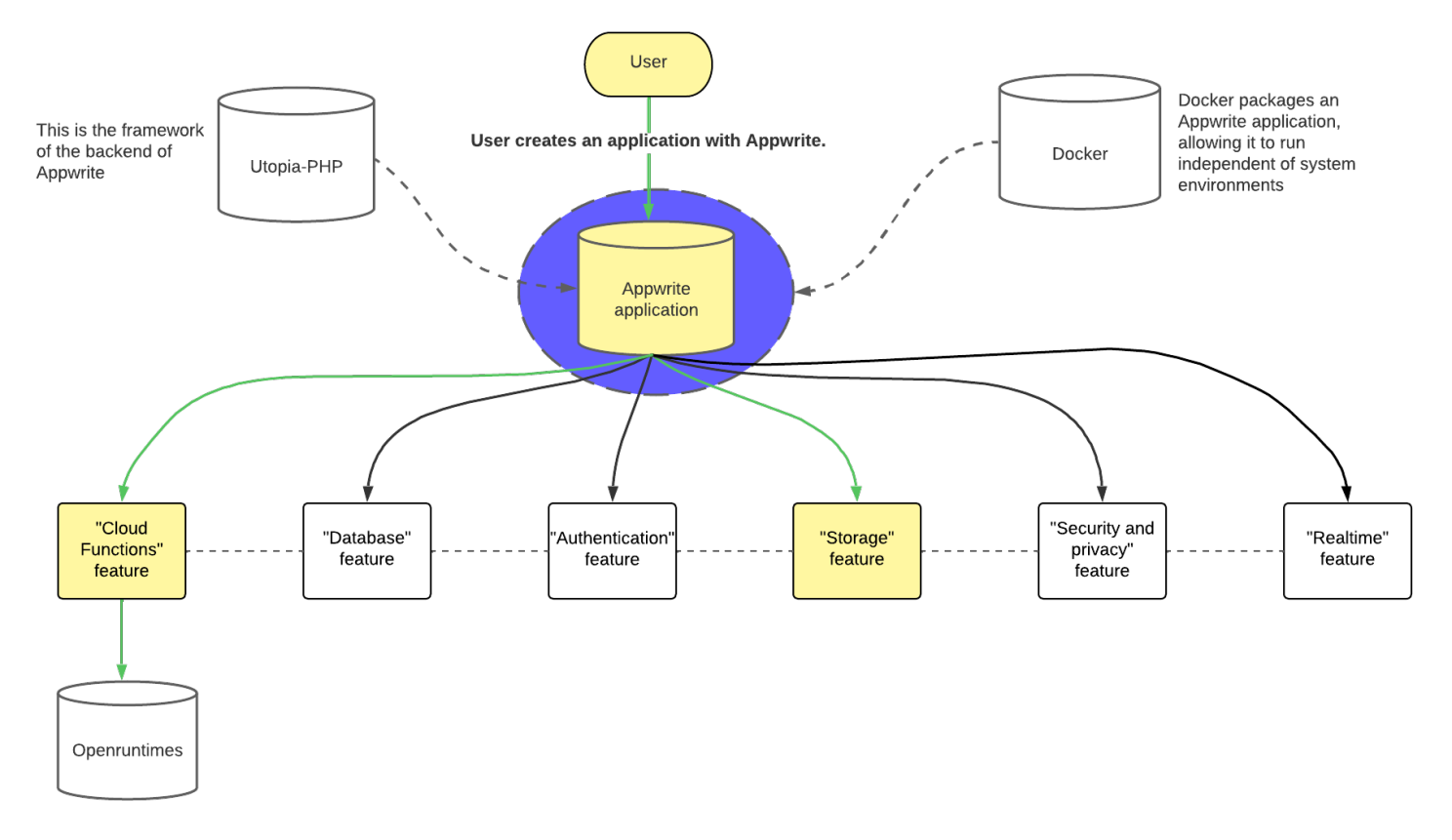
Consider a user who creates an application through Appwrite and configures a cloud function connected to that app:
- The user creates an application with Appwrite.
- Through that application, they want to send messages to users on different platforms.
- If the application is an Android application, the user can use our Kotlin
sendMessage()function through the application's dashboard. - The user selects the function and supplies arguments, including the message to send. The exact arguments depend on the chosen platform.
- The function makes the appropriate HTTP
POSTrequest through the correct API and endpoint. - Using the supplied arguments, the platform's API sends a message to the designated recipient.
This is a high-level view of the code flow for our first issue. Let's look at it in more detail.
First issue: a Kotlin sendMessage() function
What was our first issue?
Between weeks one and three, we implemented a Kotlin cloud function that could send a message to a receiver through four platforms: SMS, email, Discord, and Twitter.
The issue instructions were: “The function must send a message using a specific channel to a receiver. Make sure to introduce function variables as necessary regarding connection to 3rd party services. Supported channels must be Email, SMS, Discord, and Twitter.”
Why this issue mattered to Appwrite
On a quick glance, it may be unclear why this issue was impactful. However, a successful approval and merge would expand Open Runtimes' examples that developers can build on. The collection of available Kotlin functions was small compared with other languages. Resolving this issue would add to that collection and help developers making Android applications communicate with their users with less manual work.
Most importantly, it could increase communication between an application and its end users. For example, an Android app that takes digital orders could send an order confirmation to its purchaser.
How the function works
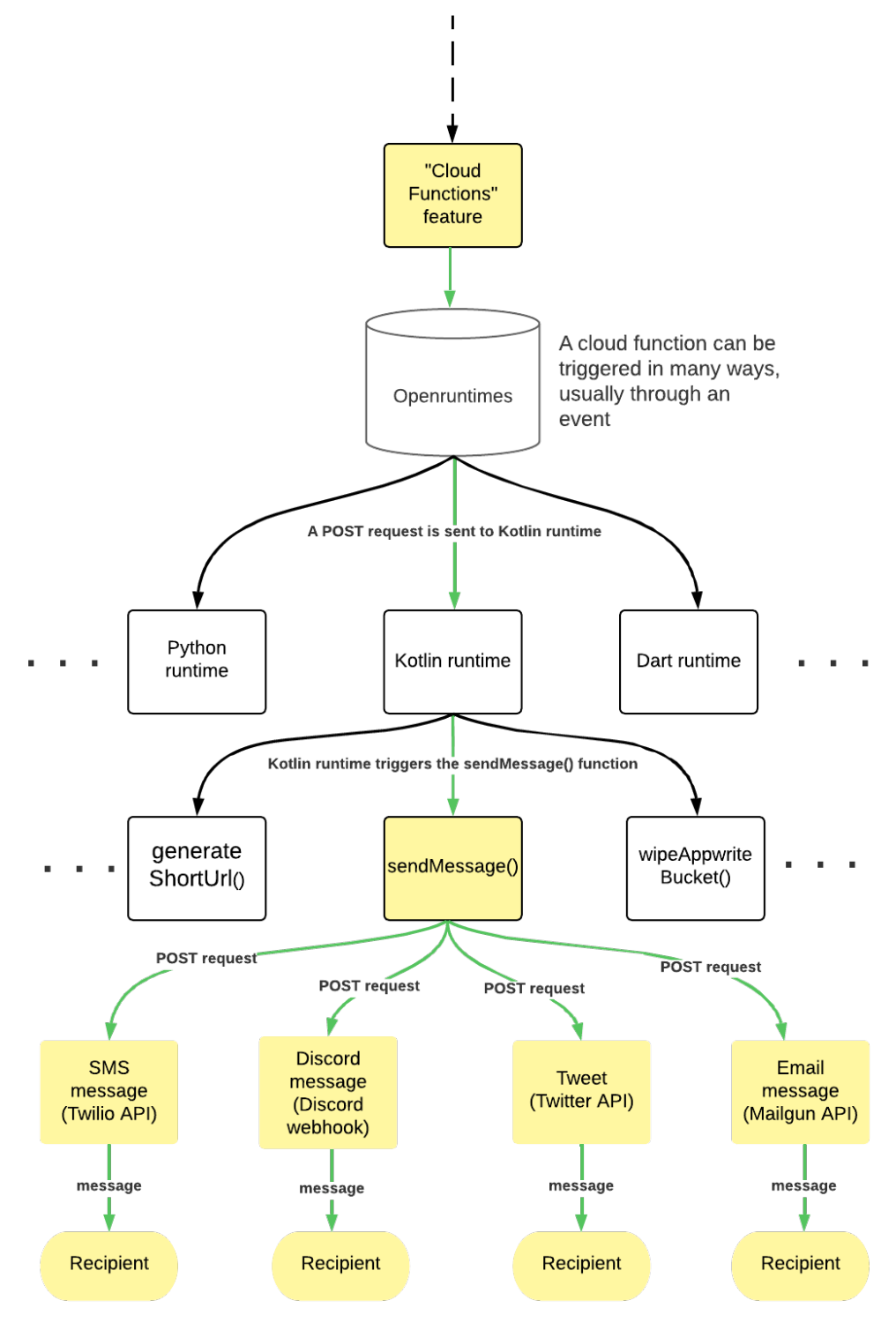
A cloud function can be triggered in many ways, usually by an event. A developer could configure sendMessage() to run when a user creates an account in their application. During implementation, we triggered the function with cURL commands in our terminals.
Once triggered, a POST request with valid inputs runs using the Kotlin runtime from Open Runtimes. Our code handles the request, identifies the channel selected by the user, and processes details such as credentials and message contents. Depending on the channel, it makes a POST request to a specific endpoint; that endpoint's API service then sends the message to the recipient.
Challenges and how we overcame them
Each member of our team experienced technical difficulties while integrating our solution.
I had to learn how APIs and HTTP requests worked in practice. After gaining a basic conceptual understanding from videos, I needed to understand how to set up each request to its endpoint. Every request needed to be accurate, and each service's official documentation made each part of sendMessage() a new experience.
Jaime had difficulty creating Twilio's authentication header for SMS messages because the documentation was unclear. He eventually configured it successfully by continuing to refer to the documentation and comparing his work against a reference point.
Tam had trouble authenticating requests to Twitter's API. Its requirements differed from the other APIs we used, and we repeatedly encountered errors. Tam found KTweet, an open-source library that helped build an encoded authorization header. Our mentor Hemal also recommended Postman for testing API requests, helping us isolate the pieces that were and were not working as intended.
Our solution
After more than 100 hours of exploration, implementation, and testing, we reached a final solution.
We split sendMessage() into four parts for the four supported channels:
- I implemented email with Mailgun's API.
- Jaime implemented SMS with Twilio's API.
- Tam implemented Discord with native Discord webhooks.
- We worked together on Twitter using Twitter's API and KTweet.
Each part could send a message through an API. At the beginning of each function, we prepared the variables needed for a successful request, such as properly encoded endpoint URLs. Once the variables were ready, the function initiated a POST request to the service's endpoint. The API service received that request and sent the intended message to the recipient. Each service had different request requirements, but this was the shared structure.
Testing and verification
We manually tested each function by triggering it with cURL commands. cURL lets users make HTTP requests from the command line, retrieving or sending data to web servers through various HTTP protocols.
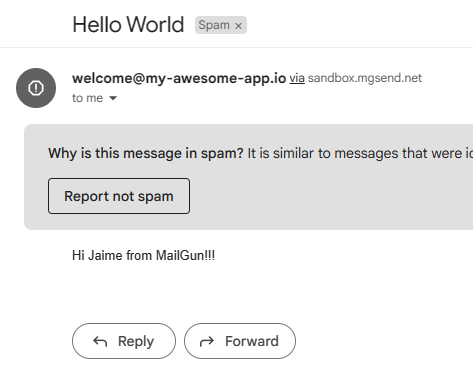
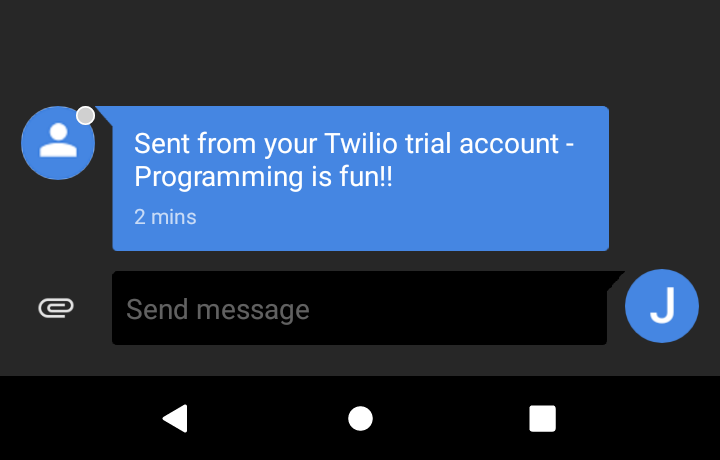
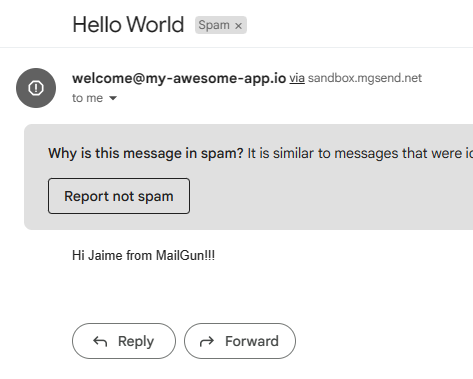
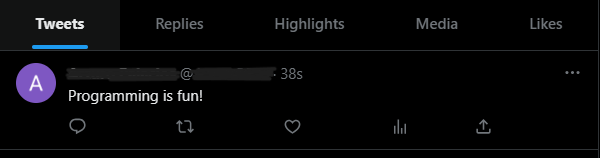
We verified SMS, Discord, email, and Twitter delivery through their respective receiving devices, channels, inboxes, and accounts.
SMS
Discord




Current status
We submitted our pull request shortly before the internship's halfway point, after verifying the correctness of our solution.
Second issue: Azure Blob Storage adapter
What was our second issue?
After careful consideration, our team chose “Extend Appwrite Storage with Azure Blob Storage Adapter.” We quickly learned that, like our first issue, it required multiple HTTP requests—but on a much larger scale. It eventually required more than ten functions that performed API calls, resulting in close to 1,000 lines of original code.
The issue consisted of two phases.
In phase one, we added an Azure Blob Storage adapter to the Utopia-PHP storage repository. That repository is separate from Appwrite but powers its Storage feature. Our main goal was to implement an adapter that would pass the unit tests we generated. The phase-one solution had to be approved and merged before phase two could begin; at the time of writing, we were waiting for the review of our submitted pull request.
In phase two, we would implement support for the new cloud adapter in Appwrite's main repository—making the two compatible. The goal was to perform create, read, update, and delete (CRUD) operations on an Azure Blob Storage account through Appwrite's dashboard.
Why this issue mattered to Appwrite
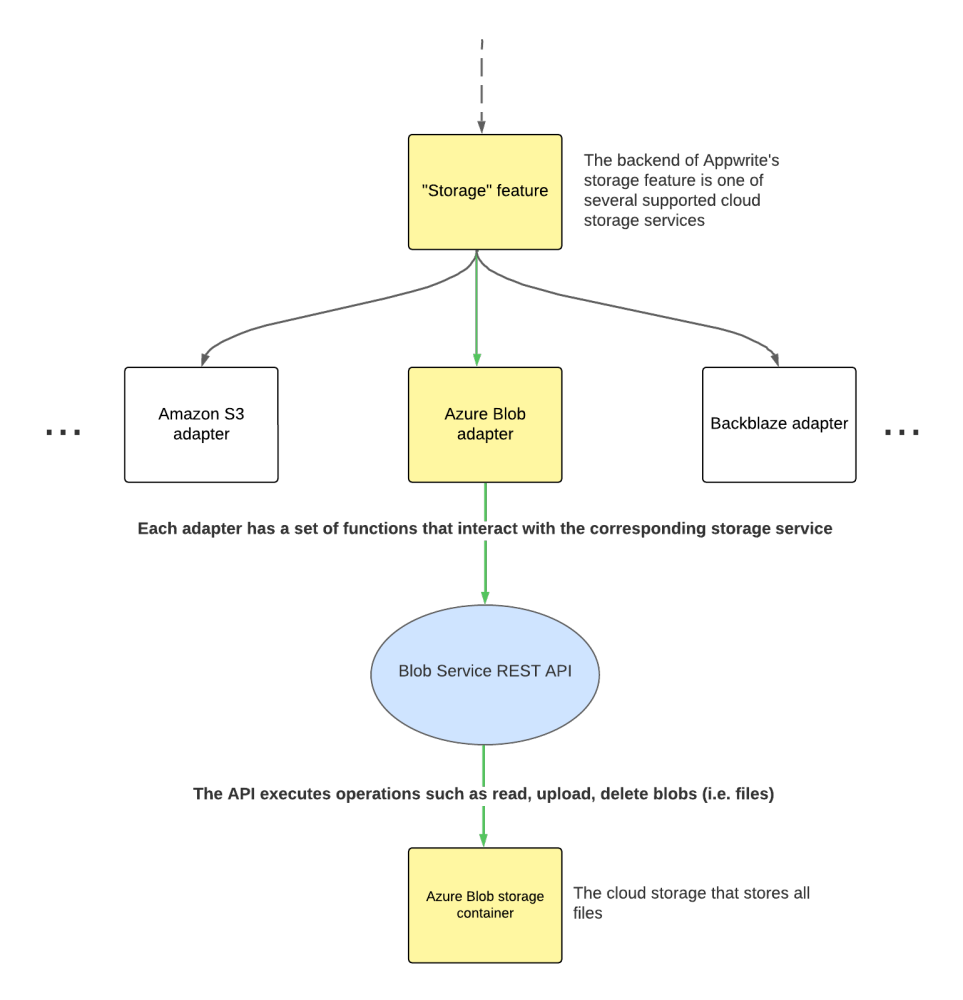
Storage is integral to every type of application. Solving this issue would expand Appwrite's storage capacity for unstructured data and reduce dependence on existing cloud-storage adapters, most of which were built on or dependent on Amazon S3. Azure Blob Storage would be the first Microsoft- and Azure-based adapter of its type.
When an application used Azure Blob as its storage option, the adapter would connect Appwrite's storage interface with the user's Azure Storage account. Functions we created would interact with that account through Blob Service's REST API.
Challenges and how we overcame them
This issue deeply tested our technical proficiency and domain knowledge. On some days, it felt as if we made little to no progress despite dedicating an entire workday to the problem.
At the beginning, after changing our code, we needed a way to see whether we were on the right track. We discovered unit tests for each adapter and a documented command to run them: vendor/bin/phpunit --configuration phpunit.xml.
The command returned more than 100 errors across files we had not edited, including an InvalidAccessKeyId error from AWS. We ran the command on the main branch and got the same errors, confirming our changes were not the cause. During Appwrite office hours, a core maintainer advised us to comment out files unrelated to the work at hand. That removed many errors, but we still needed to determine how to test the Azure Blob implementation.


We initially assumed Azure Blob's API worked like Amazon S3's and spent time trying to adapt S3's main file. Comparing the official documentation showed us that we could not extend the S3 implementation: we needed to implement every function from scratch to follow Azure Blob's API. This also revealed that we needed our own test file, adapted from S3's unit tests to Azure Blob's request expectations.
Unlike our first issue, we could not test the cloud adapter until all functions were finished because several depended on one another. At times we were implementing in the dark, with an incorrect function potentially causing a domino effect.
Authentication also proved difficult. Tam made educated guesses from the errors, threw exceptions at crucial points in the code, and used Postman to test individual requests. As Tam put it:
“For this issue, I also struggled with authentication. Although we wrote about 13 functions, we could not test each of them individually as we had to rely on the pre-written unit test. When I got a lot of failed authentication errors, I did not know how to solve them. I had to read the codebase several times and make educated guesses to solve the issue. I also learned how to throw exception messages as a way to log function results and how to use Postman to test individual requests. Thanks to that we were able to fix all errors.”
We relied heavily on official documentation, Postman results, and exception messages. After repeatedly troubleshooting each function, we finished our solution, ran unit tests adapted from the original S3 tests, and resolved the remaining errors.
Our solution
The solution followed the same fundamental pattern as our first issue: HTTP requests to an endpoint perform an operation through functions, each responsible for its own operation.
For this issue, we applied that structure on a much larger and more advanced scale. Separate call and authorization functions were necessary to prepare and execute each request.
Testing and verification
Tam created a demonstration video showing the code successfully performing operations on an Azure Blob Storage account through unit tests. The test process was:
- Start with an empty Azure Storage account and container.
- Provide credentials in the test.
- Execute unit tests with a prewritten script.
- Wait for all tests to pass.
- Refresh the storage account to see newly created folders.
- Confirm that those folders are empty, as the tests upload files and then delete them as expected.
Current status
At the time of writing, we were waiting on the review of our pull request.
Conclusion
With all of that said, I can answer the question: how much can you learn from contributing to open-source projects?
Because open-source projects involve job-like software-engineering standards such as continuous integration and continuous deployment (CI/CD), unit testing, proper Git workflows, and real-world impact, you can learn a collection of job-applicable skills without risk, relocating, or committing to a job. After only seven weeks, my team and I had learned about:
REST APIs
This experience helped us deeply understand what APIs are and how to use them. We came to admire the power of abstraction and how APIs let us communicate with servers and applications.
Reading API documentation
After learning the “why” of technical concepts, official documentation gives you straightforward, factual information about the “how.” We learned how to extract the information we needed from official documentation in a timely manner.
Basic Kotlin and PHP
We learned basic Kotlin and PHP syntax, from variables and data types to using libraries to make HTTP requests. Since none of us knew these technologies beforehand, learning them on the spot improved our self-learning and problem-solving skills.
Git workflow
Outside of previous CodeDay and CTI micro-internships—and possibly school—none of us had worked much with GitHub in a professional setting. This experience made us more proficient with basic Git operations such as add, commit, push, and pull request. More importantly, we became more proficient at working in large codebases, managing branches, reviewing code, and collaborating as a team.
Docker
We recognized Docker's importance early on. Containers allow software in any language to run on any machine with Docker, making it easier to run independent, scalable, deployable services—microservices. We saw that firsthand through Appwrite and through the development of our own sendMessage() function.
Cloud and serverless functions
Through our exploration of Docker and cloud computing, we learned that serverless functions let engineers write and deploy code while abstracting away the underlying infrastructure. This strengthened our understanding of system design and how applications are architected for long-term scale and use.
And more
Through open source, with only two issues and one project, we grew immensely as engineers—technically and non-technically. We also developed connections with people with much more expertise. Open-source projects give everyone, regardless of skill level, a chance to grow.
Throughout our technical setbacks, we turned to Hemal through Slack and weekly team meetings. Appwrite's core maintainers and developers were accessible and helpful through their Discord channel, where they held weekly office hours. Personally, I found my teammates most helpful: my understanding of how to move forward always grew after our pair-programming sessions. We did not only share technical challenges; we also shared our victories and learning achievements, which helped us greatly throughout our time together.
I want to give a big thank you to CodeDay and CTI for providing this opportunity to individuals like me. It was invaluable and a big privilege.